The 21 CFR Part 11 module is available on Enterprise plans.
Video Tutorial
Watch our video tutorial or follow the steps below.
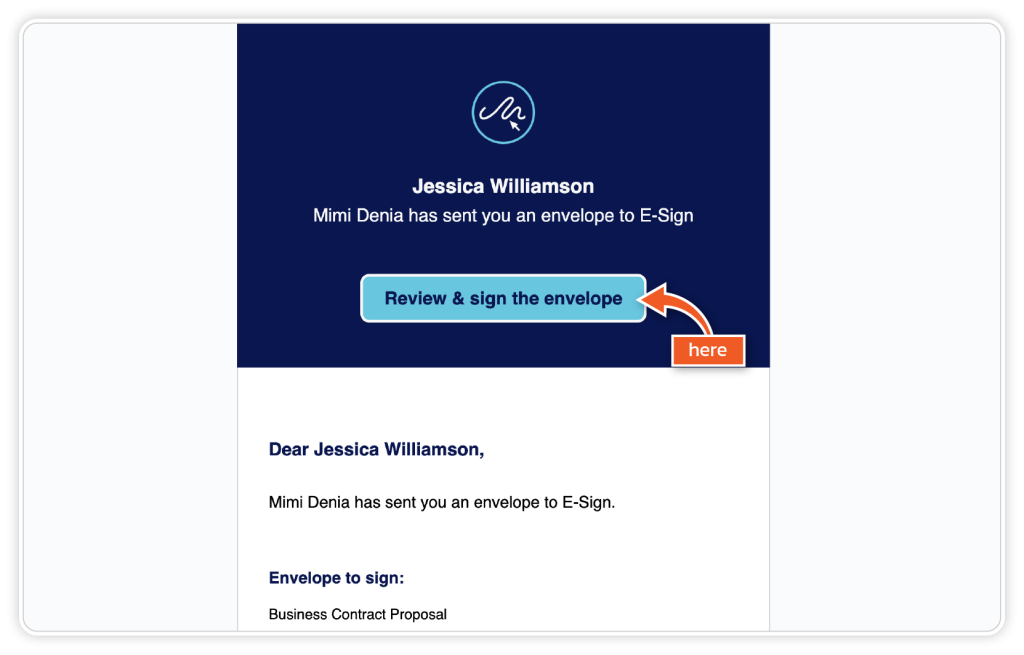
Step 1
From the email received, click the ‘Review and sign the envelope’ button.
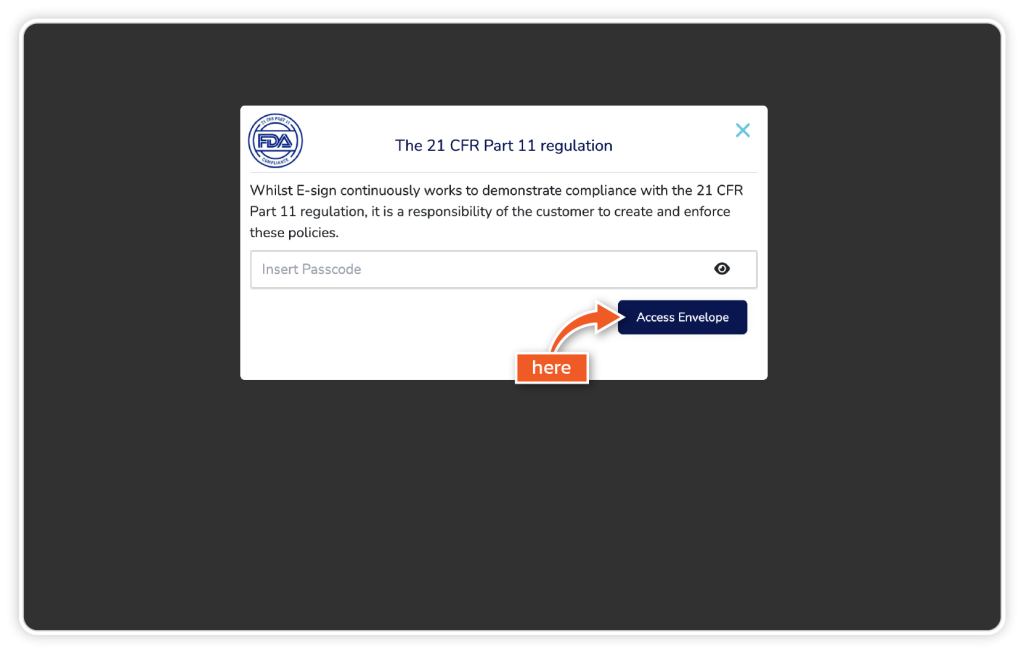
Step 2
Insert the passcode when prompted and click ‘Access Envelope’.
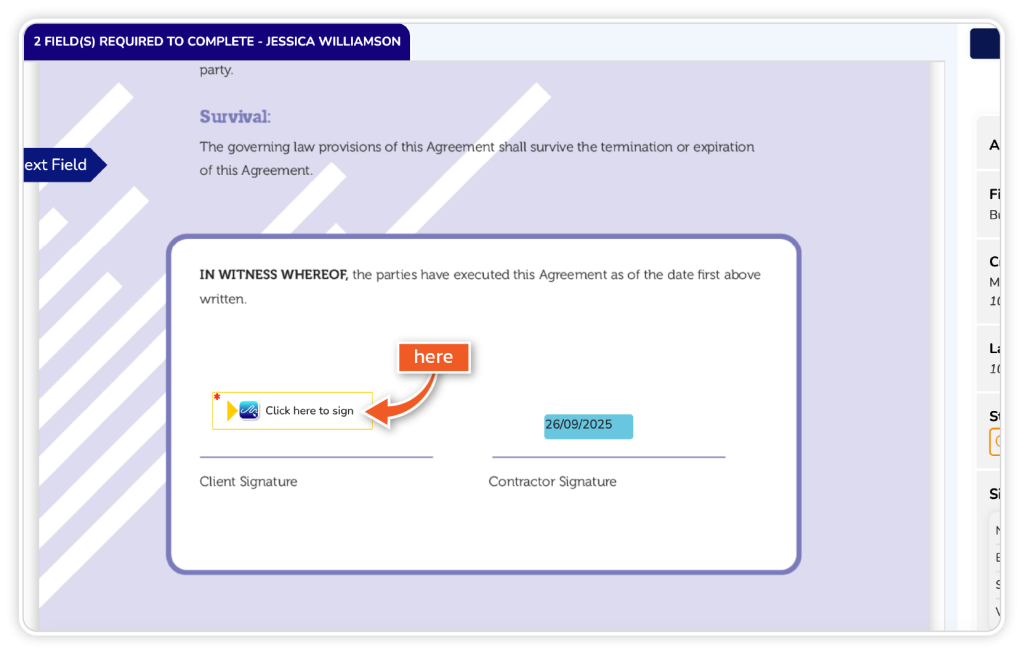
Step 3
Complete all the required fields and click the ‘Click here to sign’ button.
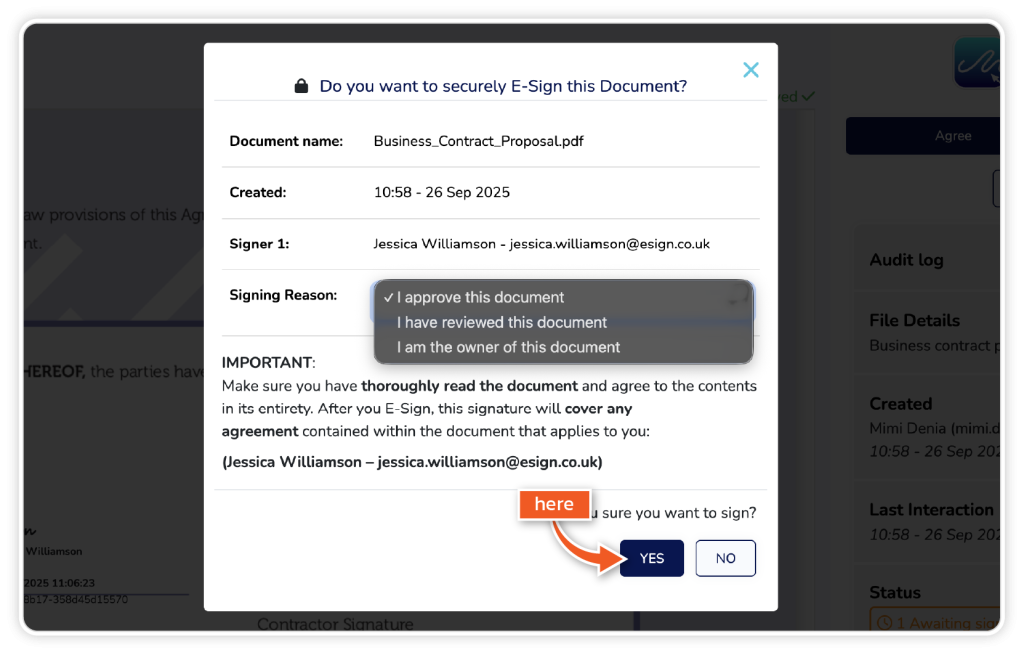
Step 4
From the pop-up, choose your reason for signing and click ‘YES’.