
If your current plan has expired, or you would like to upgrade your account to a new plan to start sending more envelopes, please follow the steps below.
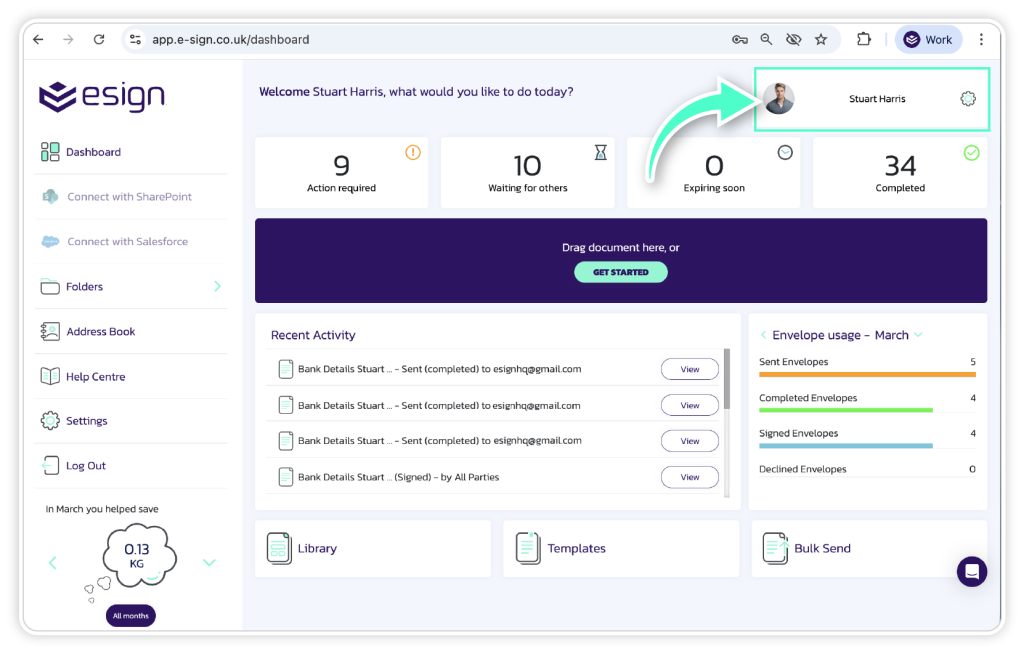
Go to account settings
Please navigate to the account settings in your eSign dashboard.
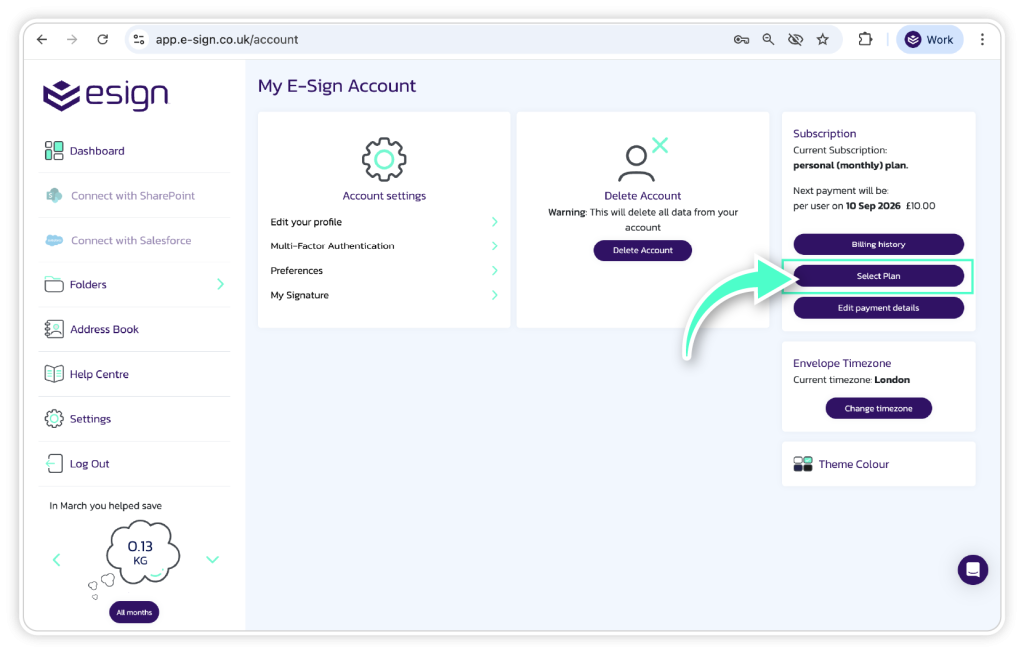
Subscription settings
In the subscription section you will be able to see the existing plan you are on and when it is set to expire. To upgrade, click ‘Select Plan’.
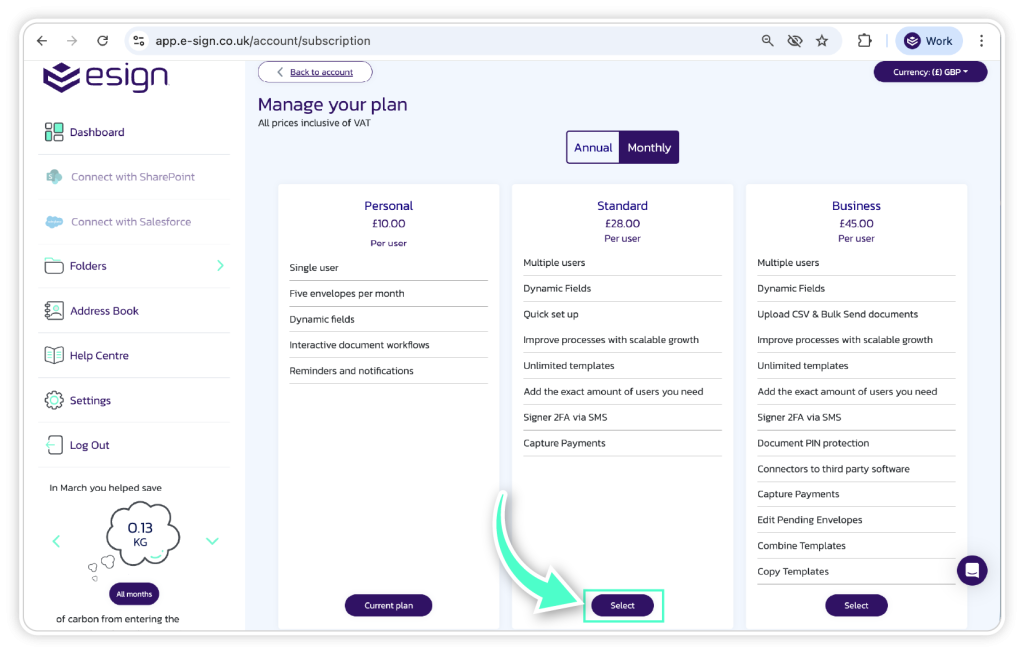
Select new plan
Choose the new plan you would like to upgrade to from the options shown.
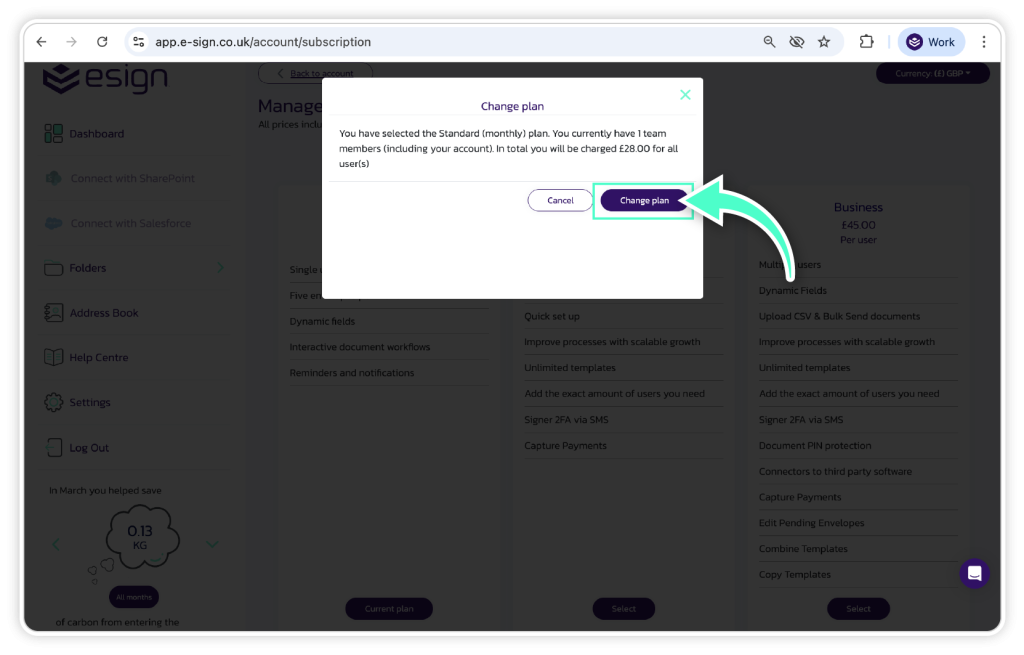
Enter payment details
Here you will be prompted to enter the payment details to complete the purchase.
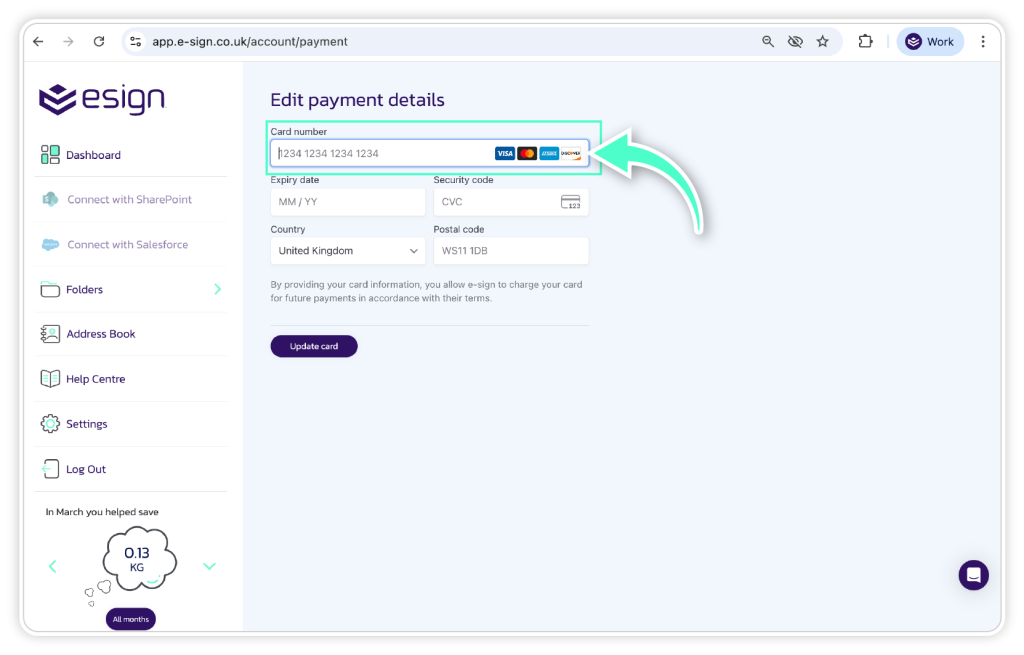
Once the payment details have been entered, you will be charged for the amount shown on the new plan you have selected.
Frequently asked questions
1. I have an Enterprise licence that has expired – how can I renew?
To renew your Enterprise licence, please follow the steps above to re-enter your payment details.
2. Is it possible to upgrade my account and pay the difference for the new plan?
Currently we do not offer an option to pay the difference for a new eSign account. You will be required to purchase a new licence and will be charged the full amount for the new licence.
3. When will my envelopes be renewed if I purchase a new plan?
The date you purchase or upgrade your eSign account is the date you will be renewed the new envelopes for that plan. E.g. if you purchase a monthly Business licence on 29/03, the envelopes will be renewed on the 29th of each month.