
Writeback functionality in Salesforce refers to the process of sending data from an external system back into Salesforce, updating records such as Leads, Opportunities or Custom Objects.
It ensures Salesforce stays the single source of truth, by syncing updates made elsewhere.
Watch tutorial video
- Keep Salesforce data accurate and up-to-date
- Enable bi-directional integrations
- Reduce manual data entry
- Improve reporting and decision making
Frequently asked questions
Field names when using write-back for ‘Opportunity Name’ and ‘Account Name’
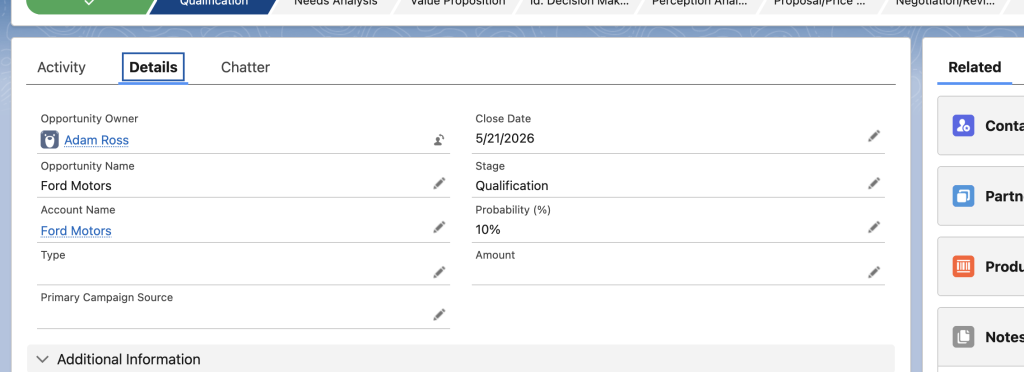
1. Which Salesforce field should I use when writing back the Opportunity name?
When using ‘Opportunity Name’ as a write-back tag, type ‘Name‘ into the text field in your eSign template. This is the standard field that stores the opportunity’s name.

2. Which Salesforce field should I use when writing back the Account name?
When using ‘Account Name’ as a write-back tag, type ‘AccountID‘ into the text field in your eSign template. This field references the associated account record and should be used for Account Name write-back mappings.
