Use multi-factor authentication when signing into your eSign account, and add extra security to your important document transactions.
Step 1
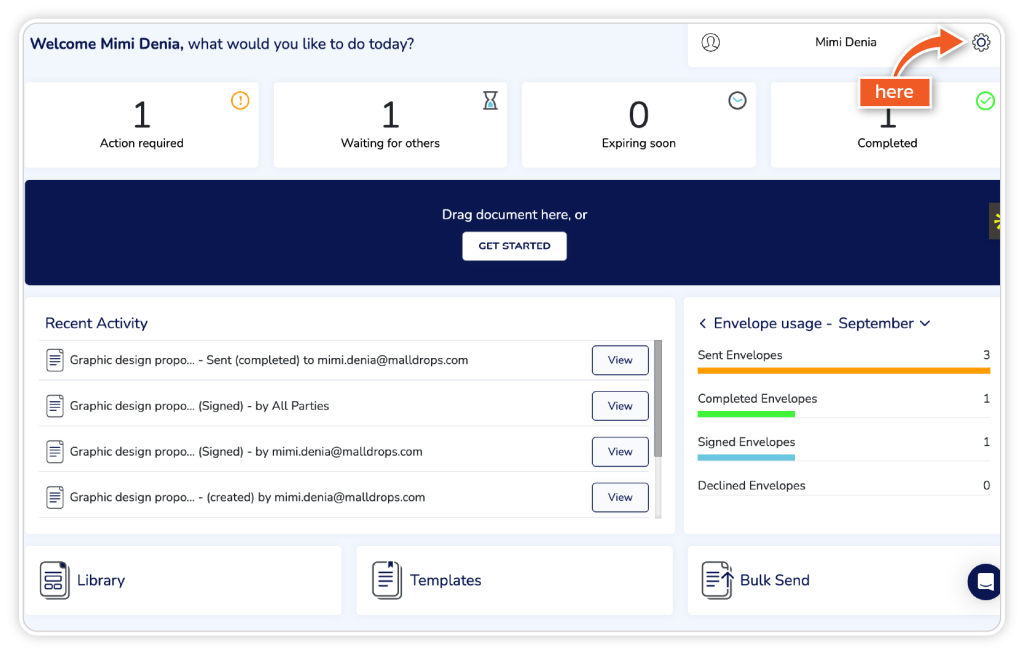
From the dashboard, go to ‘Settings’.
Step 2
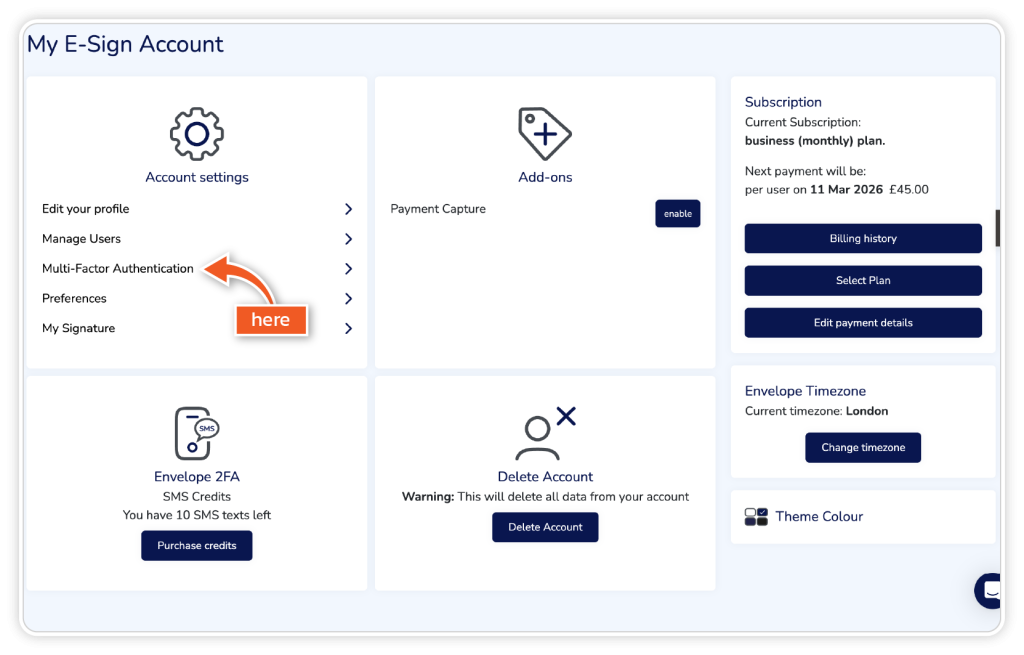
Click on ‘Multi-Factor Authentication’ under Account Settings.
Step 3
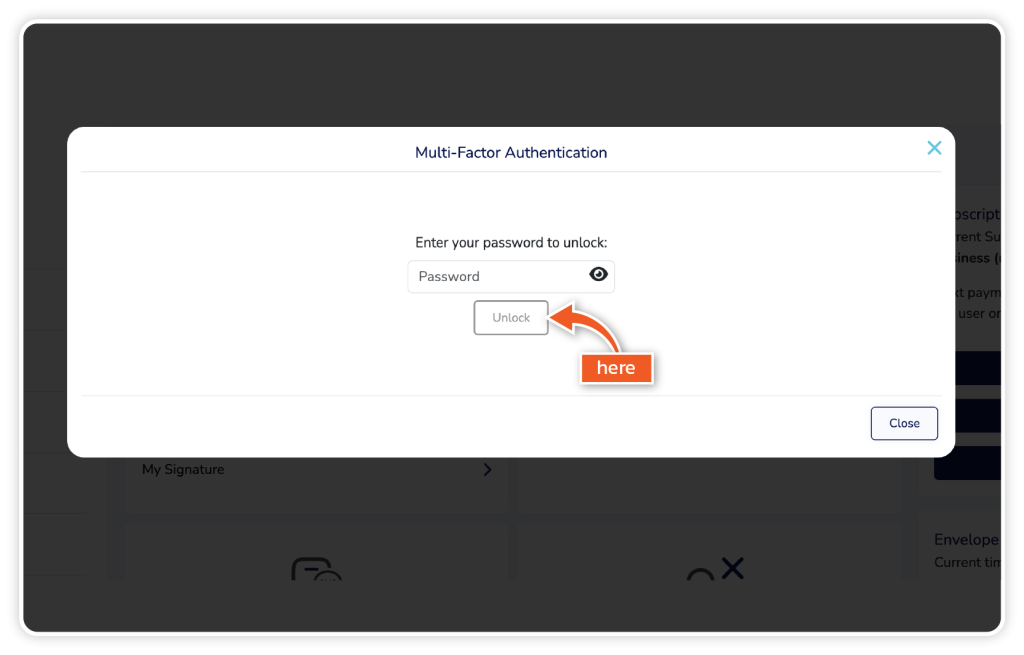
Enter your password and click ‘Unlock’.
Step 4
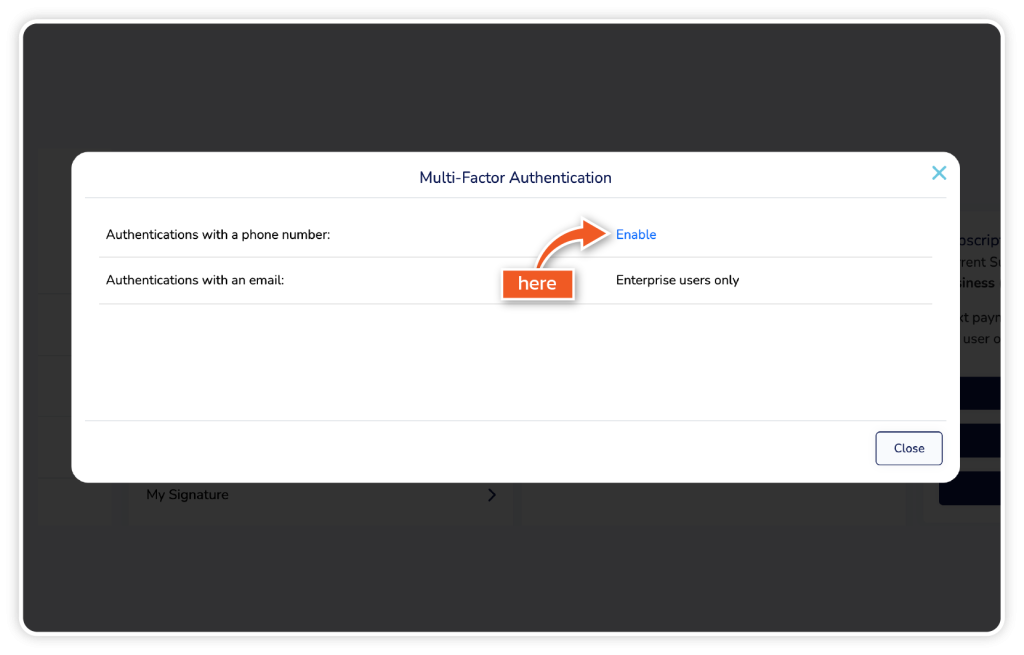
Click ‘Enable’ to set up multi-factor authentication with a phone number. Please note that authentication using an email address is only available to users with an Enterprise-level account. Once enabled, you can click ‘Close’.