
Video Tutorial
Watch our video tutorial or follow the steps below.
Step 1
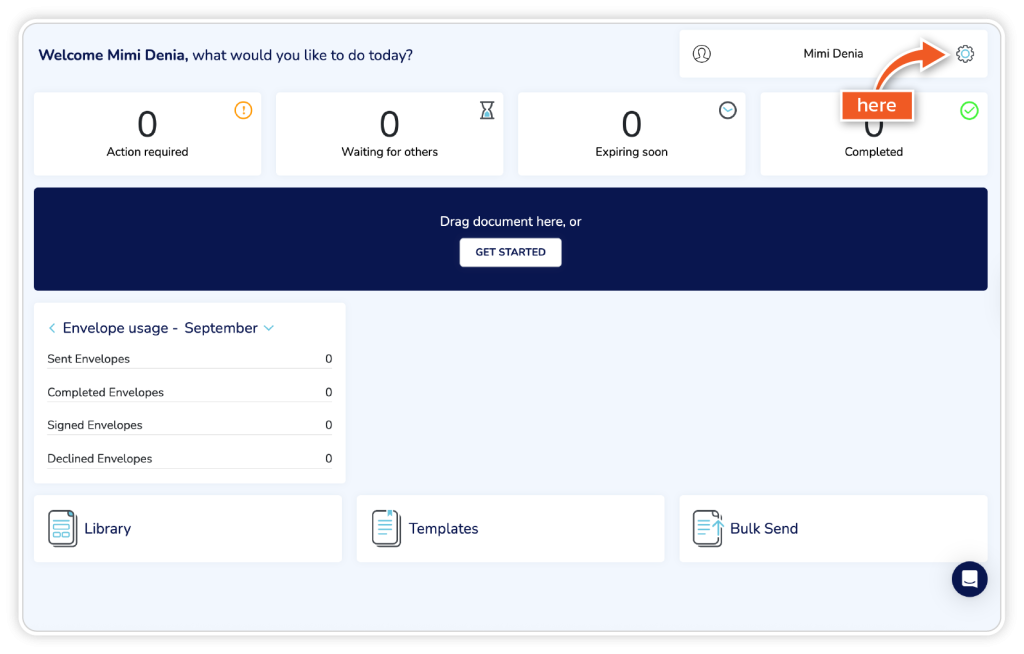
From the dashboard, go to the ‘Settings’ icon in the top right corner.
Step 2
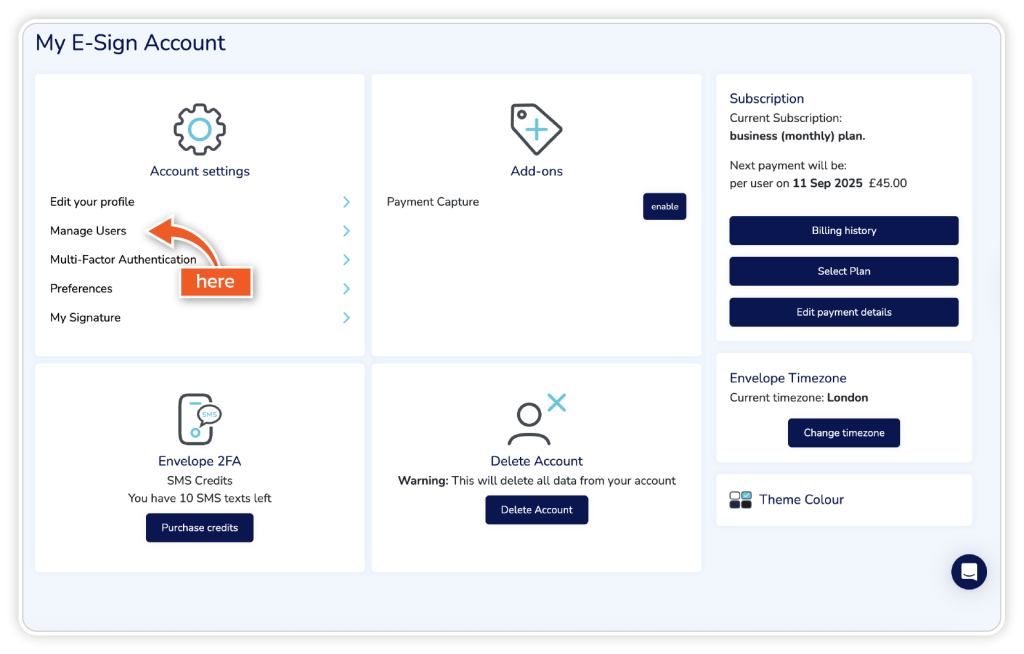
From your account settings, click on ‘Manage Users’.
Step 3
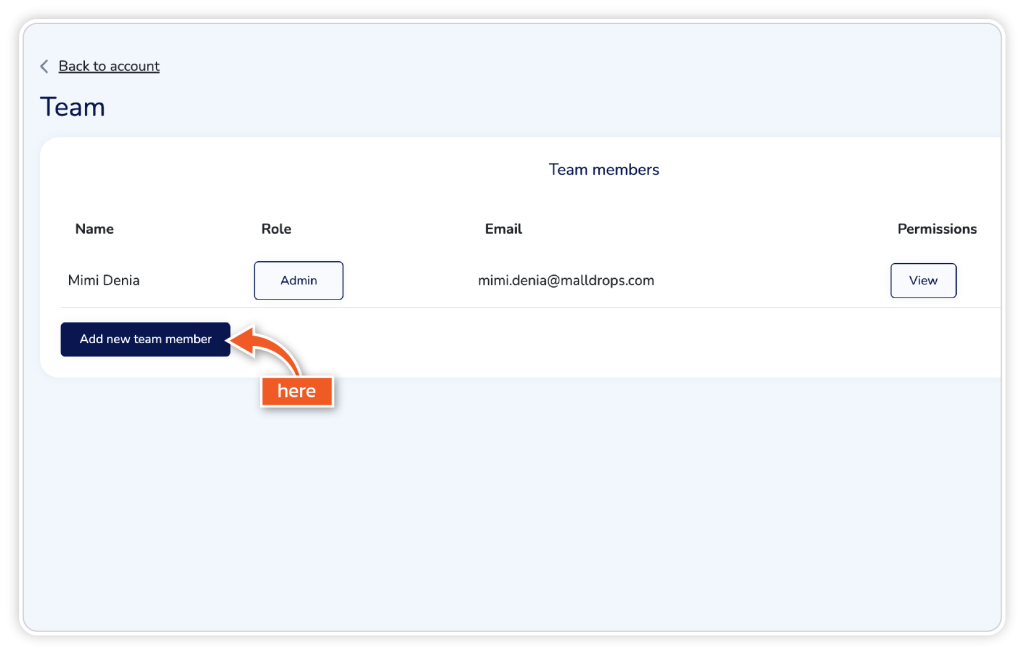
Click the ‘Add new team member’ button.
Step 4
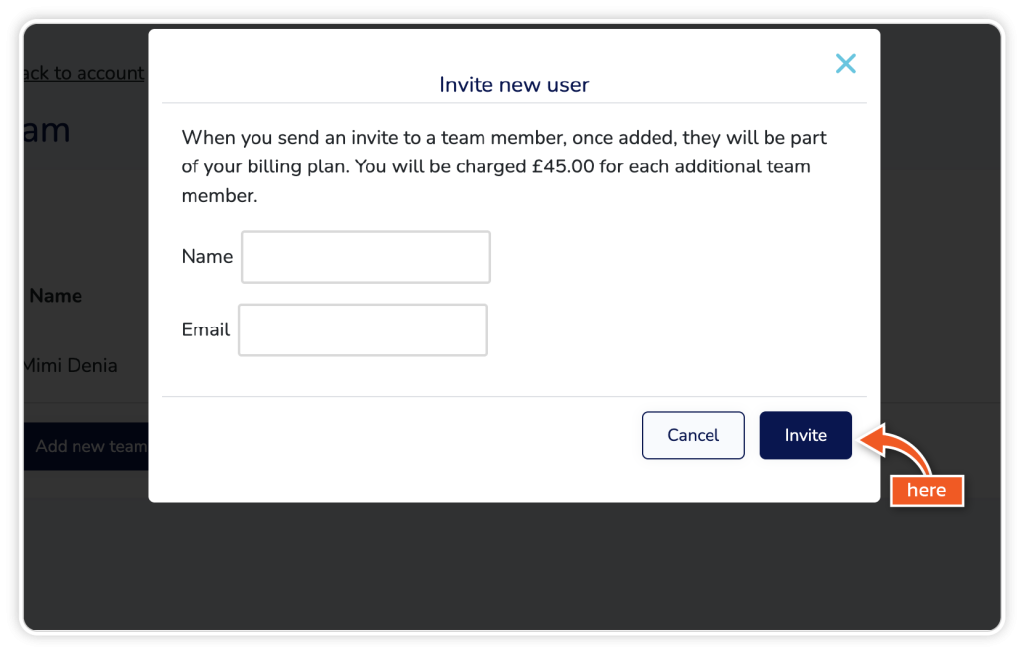
Enter the name and email address of the team member you want to add and click ‘Invite’.
Step 5
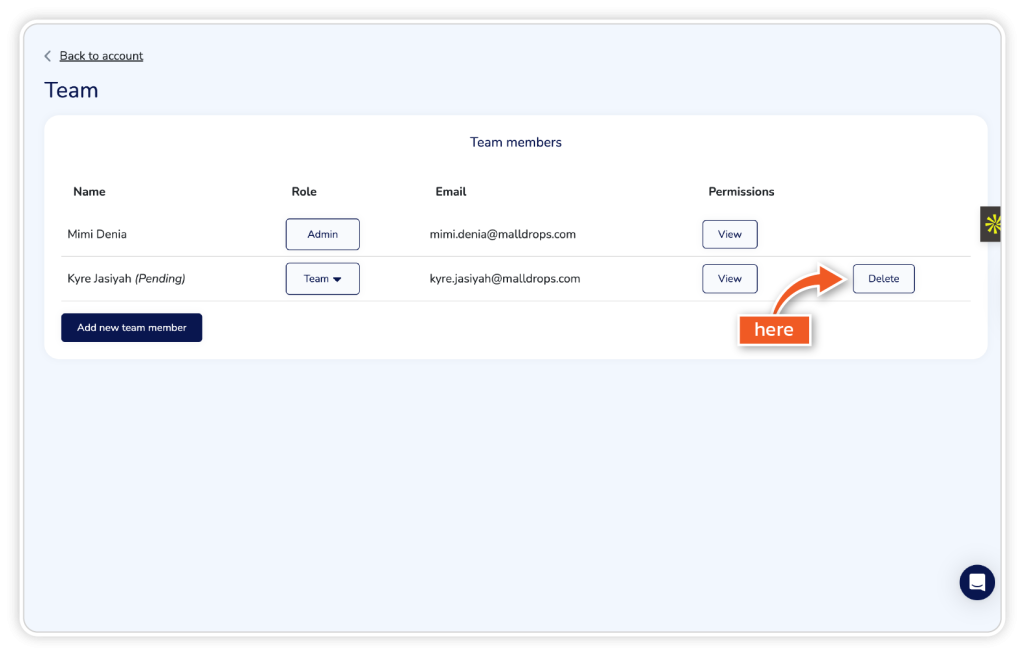
If you want to remove a user from your team, simply click the ‘Delete’ button next to their name.
Is it possible to transfer an eSign licence to another member of our team?
eSign licences cannot be transferred to new users and email addresses. If a team member has left the business and you wish to add a new user in their place, you will be required to:
- Add the new user as a team member, then they can create their account
- Then delete the old user from your team