Company seals are available on Business and Enterprise plans.
Company seals can be added to your important documents to ensure authenticity and integrity.
Video Tutorial
Watch the video tutorial or follow the steps below.
Step 1
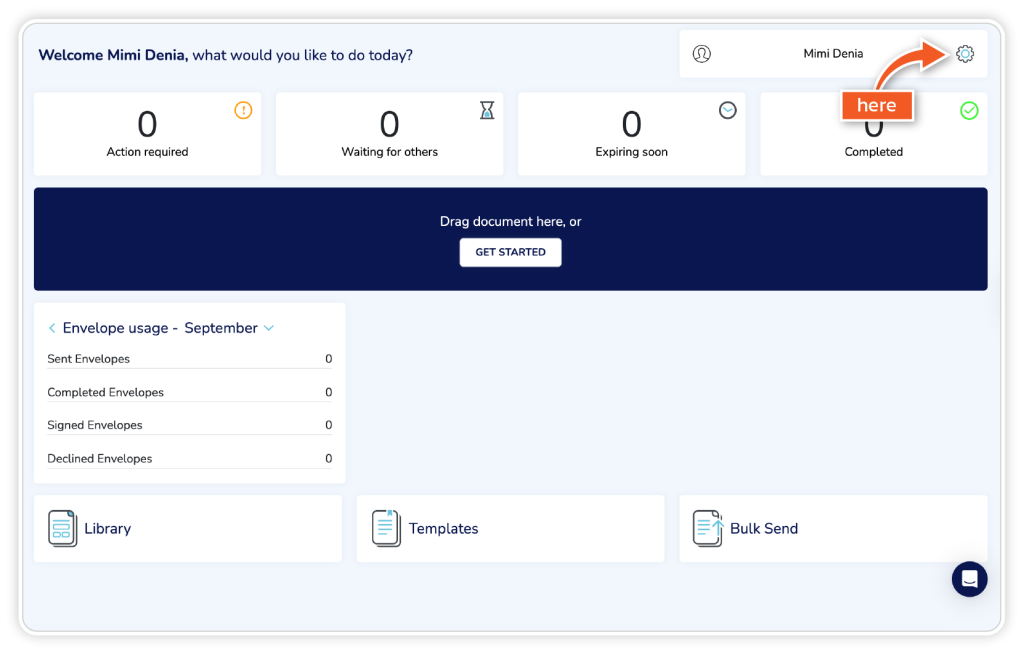
From the dashboard, go to the ‘Settings’ icon in the top right corner.
Step 2
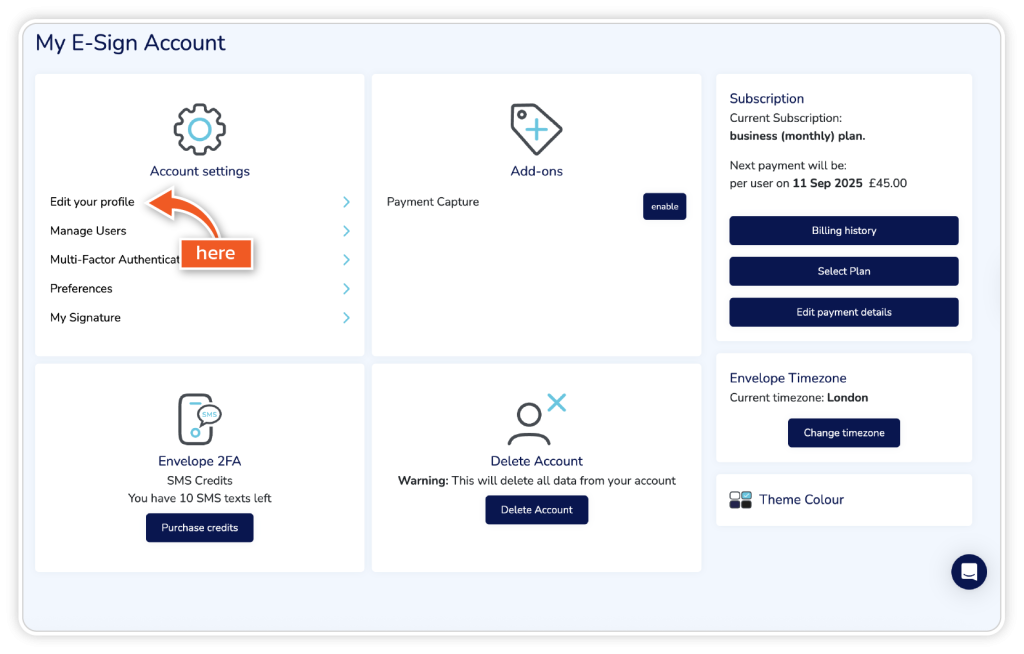
Click ‘Edit your profile’ in your account settings.
Step 3
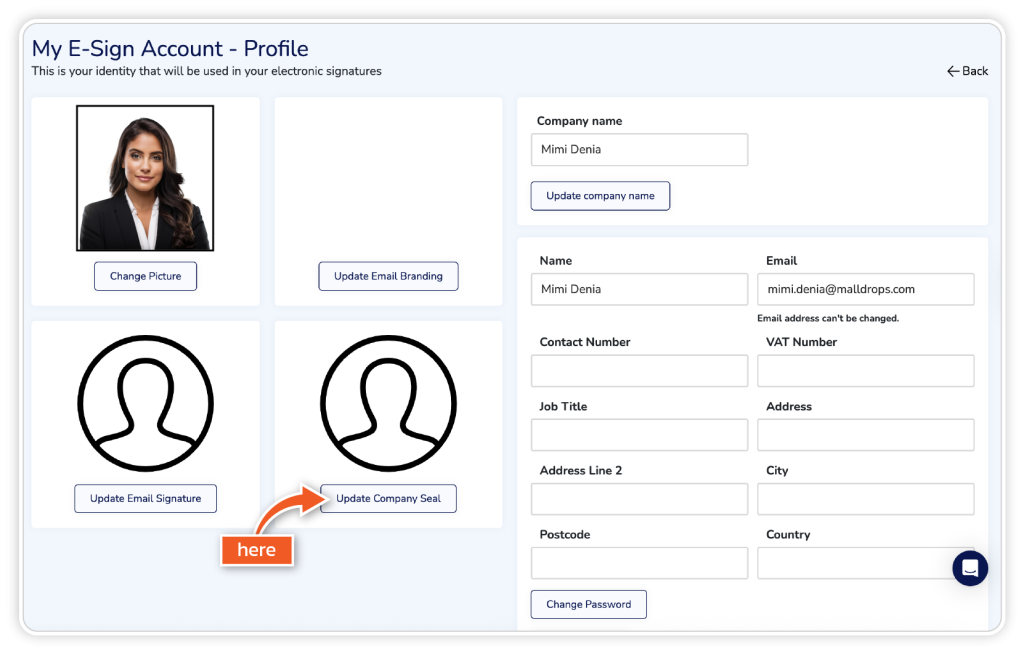
Click ‘Update Company Seal’ and choose a high-resolution image from your files.
Step 4
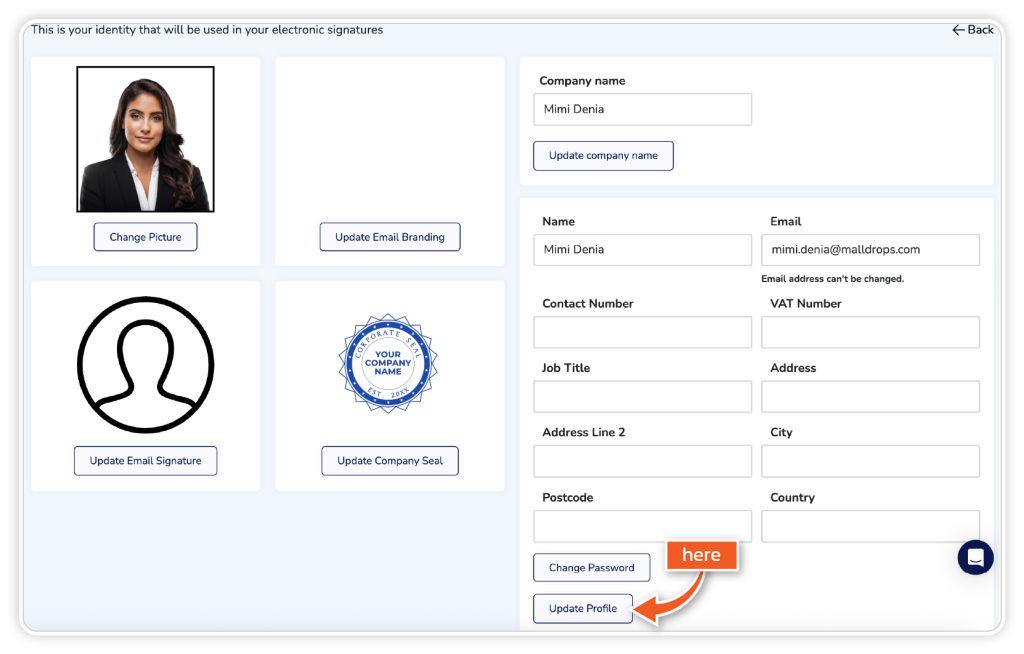
Click ‘Update Profile’ to save your company seal.